GA4 & GTM

Build a profitable Google Ads system

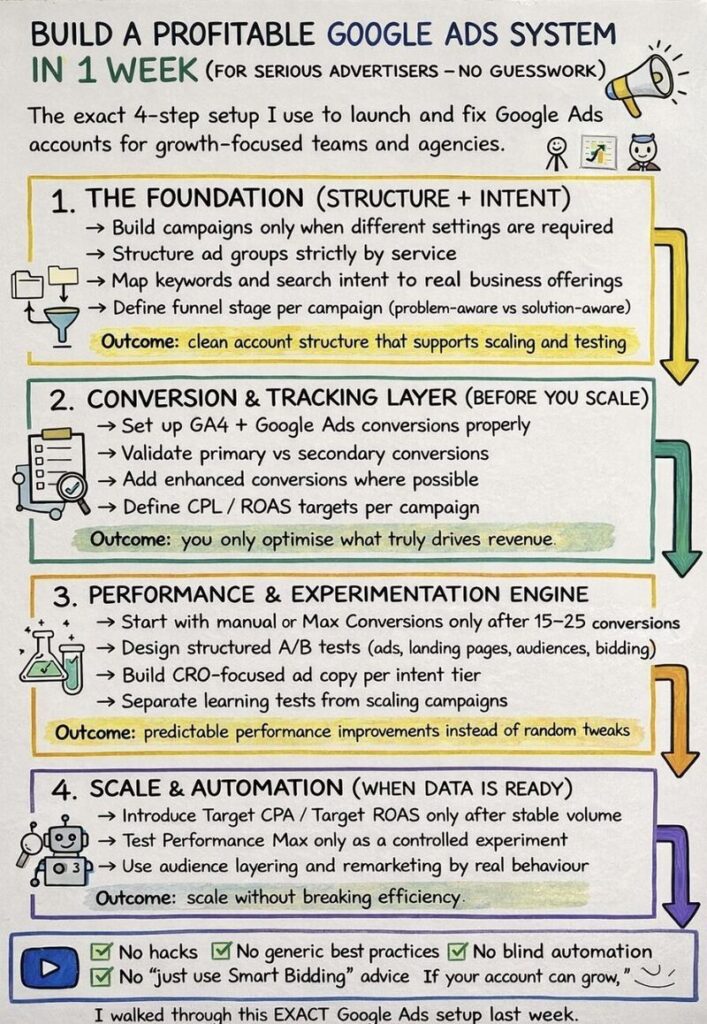
The exact 4-step setup I use to launch and fix Google Ads accounts for growth-focused teams and agencies. THE FOUNDATION (STRUCTURE + INTENT) → Build campaigns only when different settings are required→Structure ad groups strictly by service→ Map keywords and search intent to real business offerings→ Define funnel stage per campaign (problem-aware vs solution-aware) Outcome: […]

Build a profitable Google Ads system Read More »

Build a profitable Google Ads system

The exact 4-step setup I use to launch and fix Google Ads accounts for growth-focused teams and agencies. THE FOUNDATION (STRUCTURE + INTENT) → Build campaigns only when different settings are required→Structure ad groups strictly by service→ Map keywords and search intent to real business offerings→ Define funnel stage per campaign (problem-aware vs solution-aware) Outcome:

Build a profitable Google Ads system Read More »

Looker Studio updates

Looker Studio Pro for Google Workspace You can now purchase a Looker Studio Pro subscription directly via the Google Workspace Admin console. This makes provisioning and license management fully centralized for Workspace admins, instead of relying on separate billing or manual access setups. Practical takeaway for teams like yours (especially if you share Looker Studio

Looker Studio updates Read More »

GA4 Update

Google Analytics introduced two new suggested audience templates to support customer lifecycle strategies in both Analytics and Google Ads: – High-Value Purchasers: Built using purchase count or Lifetime Value (LTV). A new LTV percentile field allows advertisers to target the top value customers more precisely. – Disengaged Purchasers: Based on days since last purchase, helping

GA4 Update Read More »
Dynamic Marketing

Dynamic remarketing in Google Ads has become easier to set up. Google Ads now supports using ecommerce data directly from Google Analytics to power personalized product ads, without requiring dynamic remarketing events to be implemented through the Google Ads tag. In practice, this means advertisers can launch dynamic remarketing campaigns using existing Google Analytics ecommerce

Dynamic Marketing Read More »

GTM Update

Google Tag Manager has added three new built-in variables in the Utilities category: Client ID, Session ID, and Session Number. These variables provide an official and supported way to access key Google Analytics values directly within GTM, making it easier for advertisers and analysts to implement tracking without custom JavaScript. In addition, GTM introduces a

GTM Update Read More »

GA4 now includes a Report Identity API

GA4 now includes a Report Identity API (Alpha, via the Admin API). It lets you check which report identity is being used in a GA4 property: – BLENDED– OBSERVED– DEVICE_BASED– IDENTITY_BLENDING_STRATEGY_UNSPECIFIED (if not defined) This makes it easier to automate audits and validate GA4 configurations without manually checking each property. Source: Brais Calvo Vázquez

GA4 now includes a Report Identity API Read More »

Google has quietly changed how server-side Google Tag Manager (SGTM) loads Google JavaScript libraries like gtag.js

Previously, the GA4 Client in SGTM could directly load gtag.js. That’s no longer possible. Now, all Google JavaScript libraries are loaded via the Web Container Client. If you want to load gtag.js via SGTM, you must now use a Web Container Client and allowlist the Google Tag Measurement IDs you want to serve.If you load

Google has quietly changed how server-side Google Tag Manager (SGTM) loads Google JavaScript libraries like gtag.js Read More »

New GA tools

Last week Google introduced new default reports and suggested audiences for advertisers focused on lead generation. These tools aim to improve lead quality and conversion rates by offering deeper insights and better targeting. New Reports: Lead Acquisition Report: Tracks first visits from potential leads, focusing on user-level data.Lead Disqualification and Loss Report: Identifies why leads

New GA tools Read More »

Looker Studio has introduced several new features and improvements

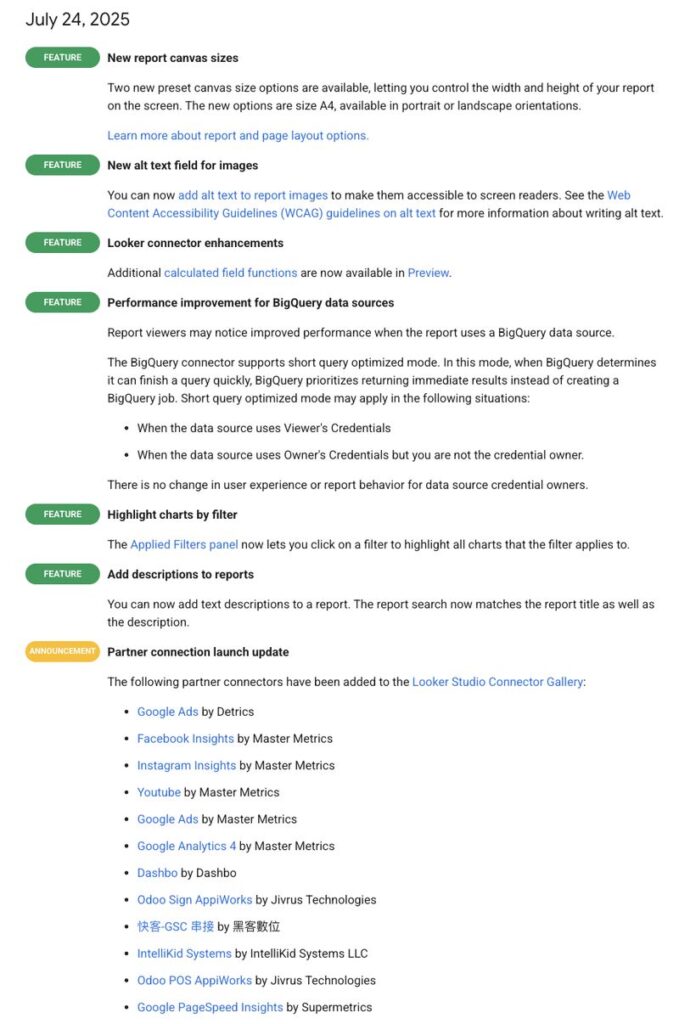
New Canvas Sizes: Two A4 canvas presets (portrait and landscape) are now available, giving users more control over report layout. Alt Text for Images: Users can now add alt text to images for screen reader accessibility, supporting WCAG compliance. Looker Connector Enhancements: More calculated field functions are now available in Preview mode. BigQuery Performance Boost:

Looker Studio has introduced several new features and improvements Read More »

Google Analytics 4 is introducing two new reports for lead generation

Brais Calvo Vázquez discovered that Google is introducing 2 new lead reports! Lead acquisition report, focuses on how leads are acquired.Lead disqualification and loss report, Tracks disqualified or unconverted leads based on events like disqualify_lead and close_unconvert_lead. These reports use GA4’s recommended lead events and include new metrics: New leads: Unique users who triggered the

Google Analytics 4 is introducing two new reports for lead generation Read More »

How does server-side tracking work?

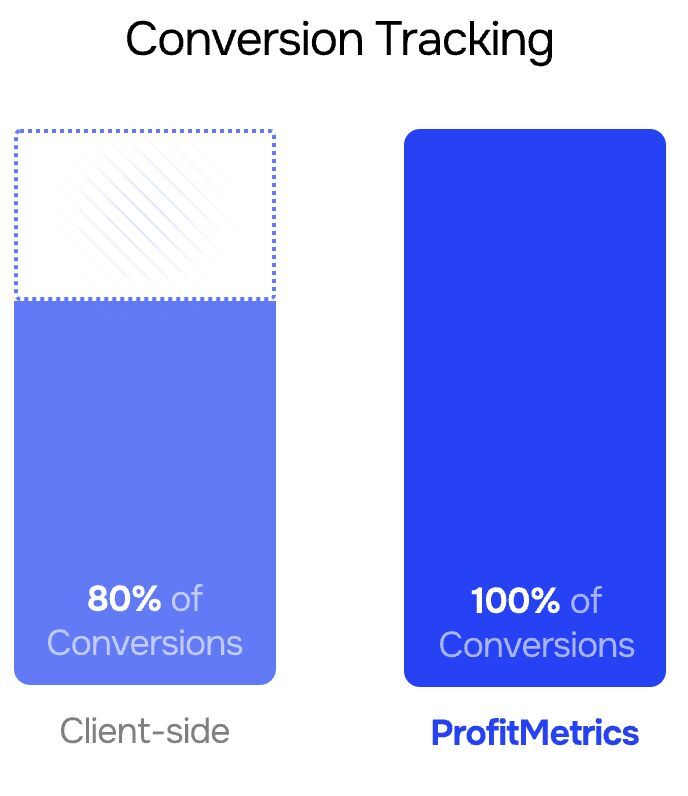
Normally (client-side tracking): When someone visits your website, their browser sends data directly to platforms like Google Analytics or Facebook Ads. Example: “Adriaan clicked this button!” gets sent straight from the visitor’s device to Google. With server-side tracking: Instead of sending that data straight to Google, the browser sends it to your own server first

How does server-side tracking work? Read More »

New feature for local inventory ads

Google has introduced a new feature for local inventory ads: Emmanuel Flossie discovered that Google has launched Website‑reported Autofeeds enabling near real-time stock updates via Google Tag Manager.How it works When a user clicks a “Check availability” button on your site, a GTM tag sends key inventory data (availability, price, product/store ID, etc.) directly to

New feature for local inventory ads Read More »

Data Manager 🚨

Lookers like Google are rolling out Data Manager for more users. This was discovered by Felix Mayo! Data manager is a new centralized hub within Google Ads that simplifies how you import and activate customer data. Instead of managing integrations across multiple tools, Data Manager lets you: – Import first-party data from external systems– Manage

Data Manager 🚨 Read More »

Google Analytics 360 property syncing for custom dimensions and metrics

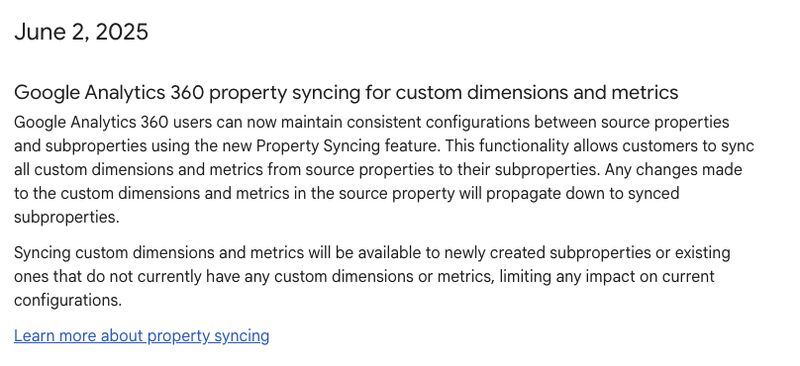
Google Analytics 360 now supports syncing custom dimensions and metrics between source properties and their subproperties via a new Property Syncing feature. This ensures consistent configuration across properties. Changes made in the source property automatically update in synced subproperties. Key points: – Applies to custom dimensions and metrics. Syncing is only possible for: – Newly

Google Analytics 360 property syncing for custom dimensions and metrics Read More »

GML 2025 GA4 Updates

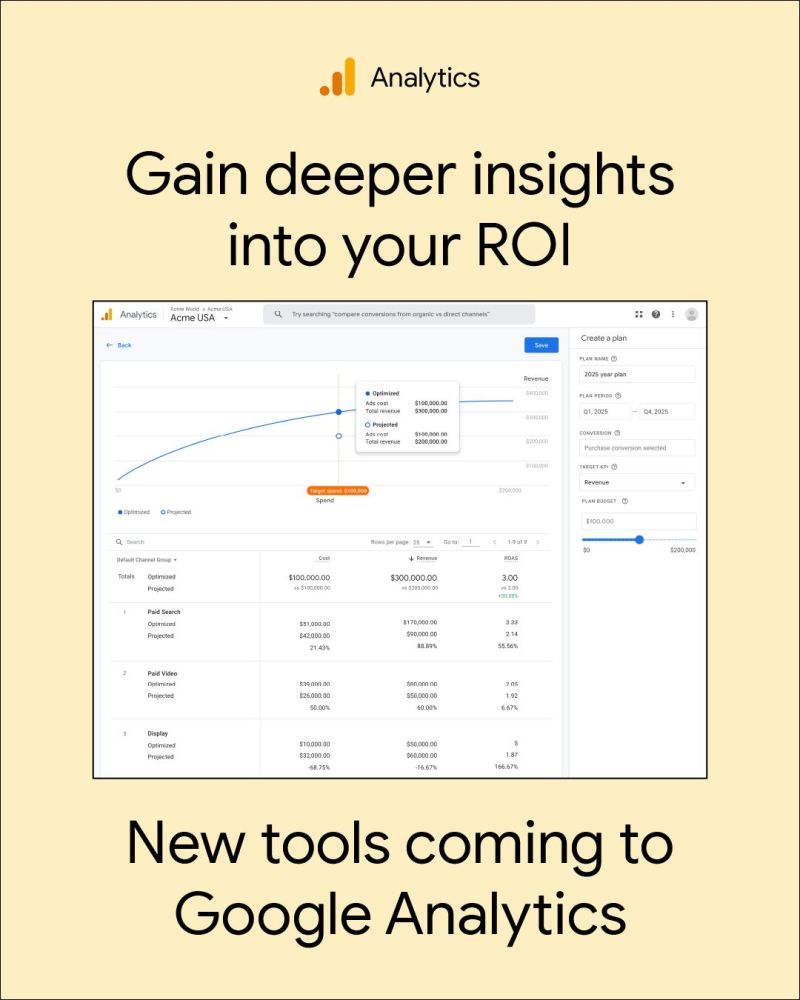
Google is transforming GA4 into a more cross-channel measurement tool: – Enhanced multi-touch attribution across all channels– New “View-through conversions” metric to capture the full impact of your marketing– New cross-channel budgeting tool, featuring:– Projections Report to forecast performance– Scenario Planner with advanced data modeling for smarter budget planning

GML 2025 GA4 Updates Read More »

GML 2025 GA4 Updates

Google is transforming GA4 into a more cross-channel measurement tool: – Enhanced multi-touch attribution across all channels– New “View-through conversions” metric to capture the full impact of your marketing– New cross-channel budgeting tool, featuring:– Projections Report to forecast performance– Scenario Planner with advanced data modeling for smarter budget planning

GML 2025 GA4 Updates Read More »

How does server-side tracking work?

Normally (client-side tracking): When someone visits your website, their browser sends data directly to platforms like Google Analytics or Facebook Ads. Example: “Adriaan clicked this button!” gets sent straight from the visitor’s device to Google. With server-side tracking: Instead of sending that data straight to Google, the browser sends it to your own server first

How does server-side tracking work? Read More »