To monitor events from your website or app in real time, use DebugView in Google Analytics. First, enable debug mode to:
– Instantly identify and fix tracking issues
– Verify custom event configurations
– Ensure data appears in reports as expected

To monitor events from your website or app in real time, use DebugView in Google Analytics. First, enable debug mode to:
– Instantly identify and fix tracking issues
– Verify custom event configurations
– Ensure data appears in reports as expected
Free. Read by 125K+ marketers every week.
Subscribe for freeYou can target job titles and company data on streaming TV, bought through DV360 instead of LinkedIn's own Campaign Manager. LinkedIn packages the audience into a private marketplace deal. You…
Via Search Engine Watch, who cite AdExchanger
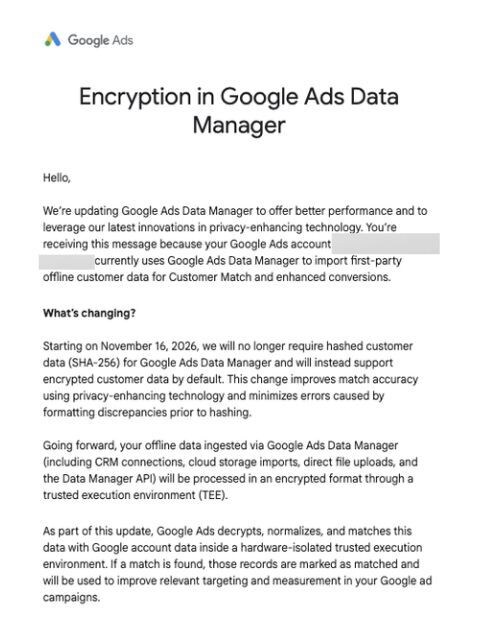
That is the date Anthony Higman saw in a Google Ads message sent to advertisers. Until now you had to hash customer data before uploading it. No word yet on…
Spotted by Anthony Higman, via Barry Schwartz
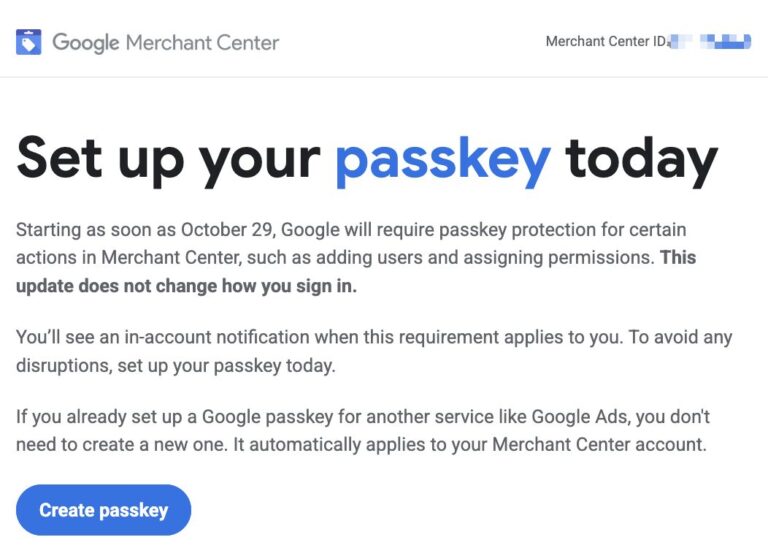
Google Merchant needs passkeys from 29th Oct, get ready for 1000 security checks haha. Thanks for sharing Arpan Banerjee & Emmanuel Flossie.