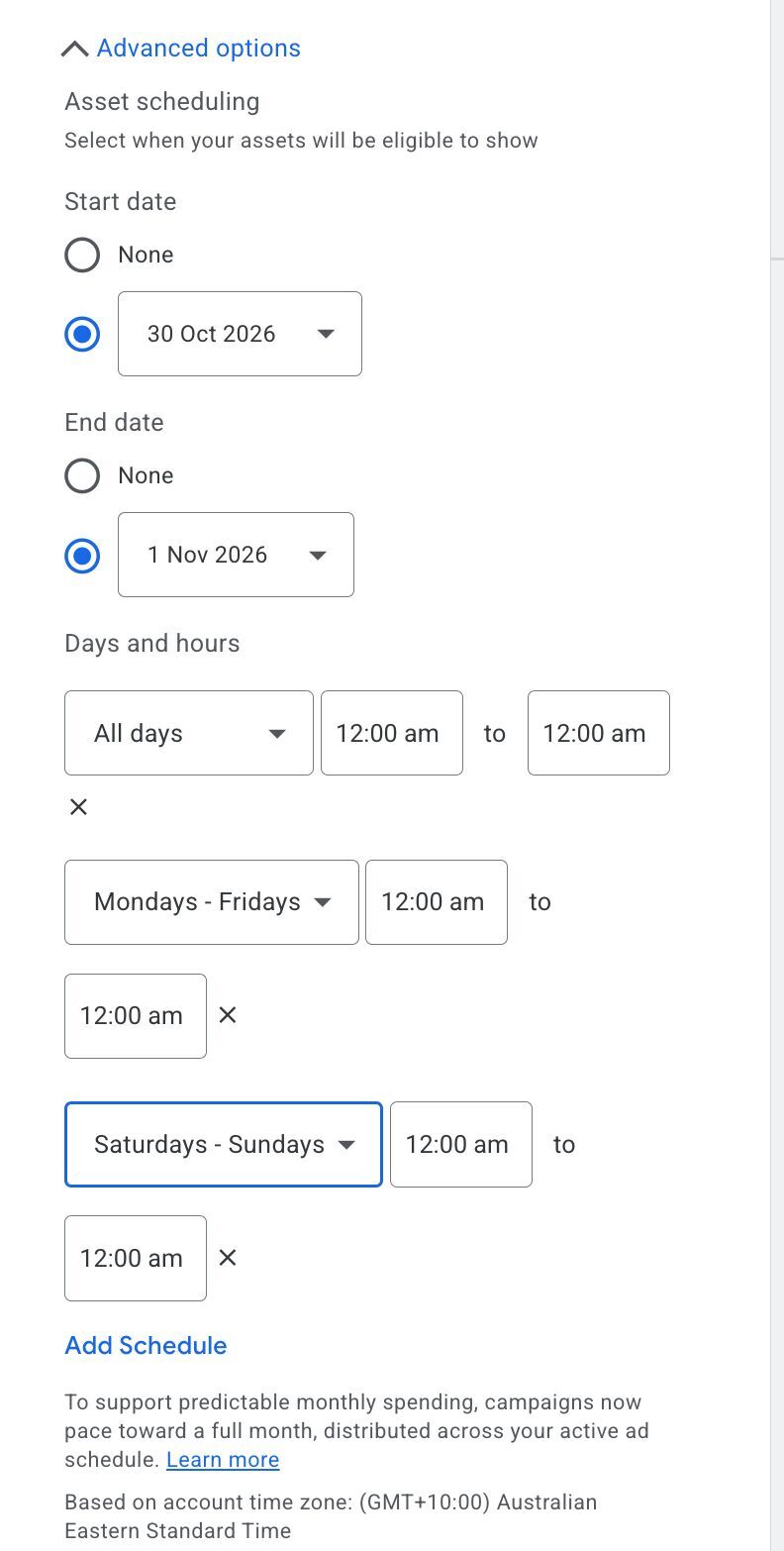
You'll find it under Advanced options, then Asset scheduling. Pick all days, Monday to Friday, or Saturday to Sunday, and add several schedules to the same asset.
Before, you could only set single days and times, with no grouping.
Watch out: campaigns now pace budget toward a full month across the active ad schedule, so keep asset schedules and campaign schedules aligned.
Spotted by Bia Camargo, via Barry Schwartz.