Google has moved Policy Manager to a new location in the Google Ads interface.
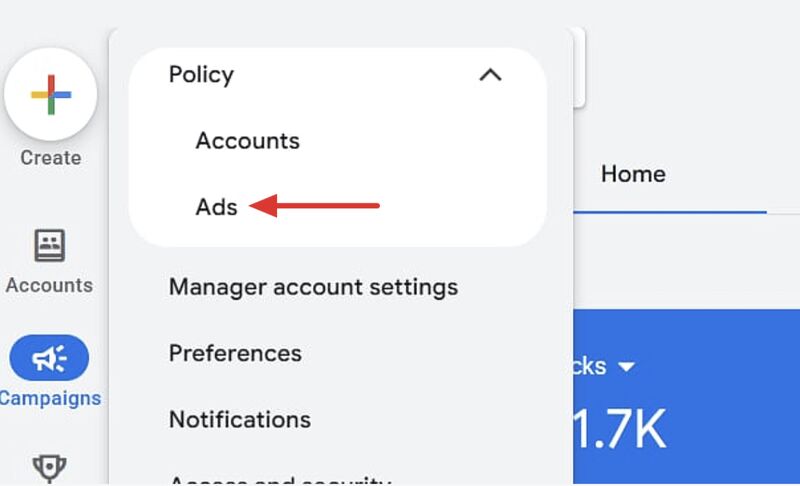
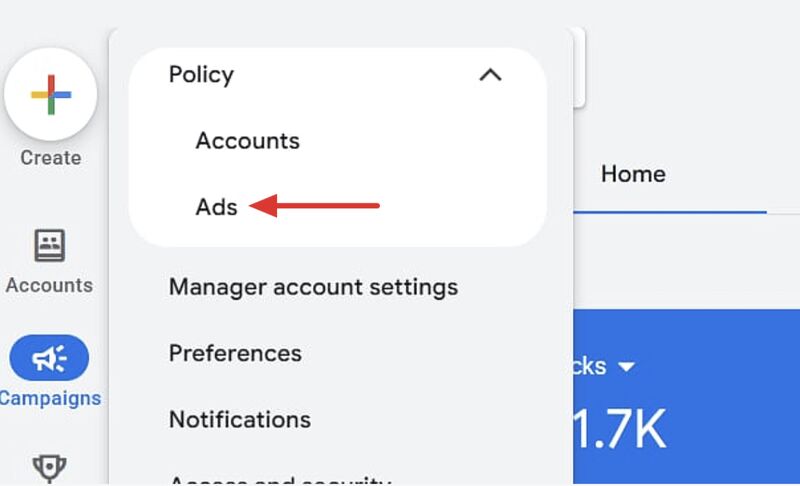
Previously, advertisers could find it under Tools > Troubleshooting. It is now located under Admin > Policy.
Google has also added a new Ads tab next to the existing Account tab. The Ads section focuses on policy issues affecting individual ads, such as limited or disapproved ads, while the Account section continues to cover areas like verification and certifications.
The practical takeaway: if you regularly check ad disapprovals or policy restrictions, the functionality is still there, but you’ll now find it under Admin > Policy instead of the troubleshooting section.
Thanks for sharing Vojtěch Audy & Hana Kobzová.