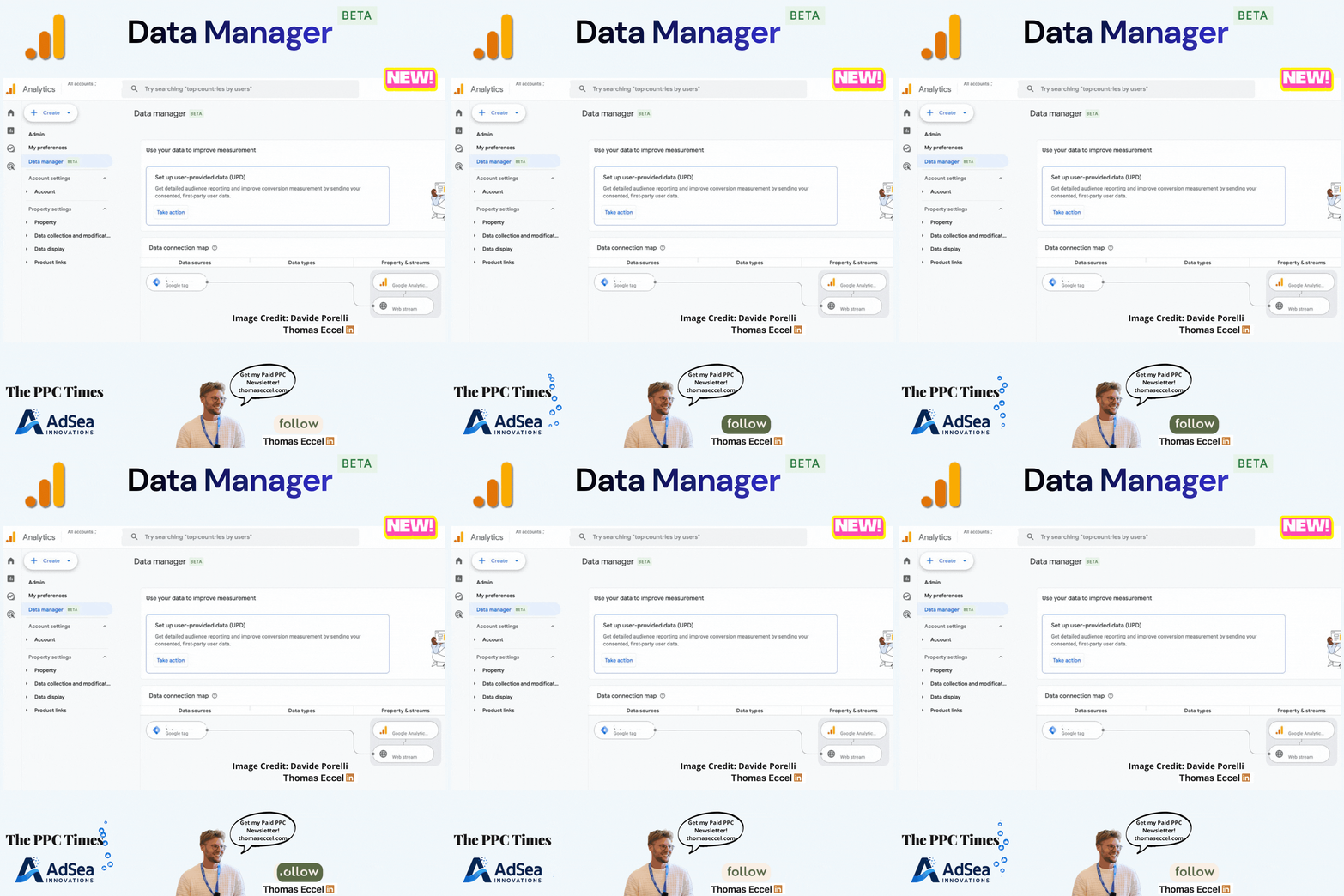
You'll find it below "My preferences". It brings together everything that feeds and receives your GA4 data:
all data sources, like GTM, CRMs, Google Ads links and offline files
all data imports and their types
all web and app streams
all exports to other products
There's also a visual Data Connection Map that shows how data flows from source to property to destination.
Broken connections show up in red, and you can click "Fix" right there.
Spotted by Thomas Eccel.
What changed
GA4 has a new Data Manager tab in the Admin area, currently in beta. It sits below My preferences and brings together everything that sends data into your GA4 property and everything that receives data from it. This includes data sources such as GTM, CRMs, Google Ads links and offline files, data imports and their types, web and app streams, and exports to other products. A visual Data Connection Map shows how data moves from source to property to destination. Broken connections appear in red, and a Fix button sits next to them.
What this means for ecommerce accounts
For ecommerce advertisers, this matters because GA4 conversions and audiences feed Google Ads, so a broken link between a source and your property can quietly stop data from reaching your campaigns. The map gives a single view of those links, which is useful if you run Shopping, Performance Max or Search and rely on GA4 signals for bidding or audiences. Performance Max also serves Shopping ads, so a healthy data flow helps both. If your setup uses only Google Ads conversion tracking and no GA4 imports or exports, the new tab changes little for your daily work.
This update does not say how the Data Manager tab behaves in every account or how long the beta will run, so check the tab in your own property to see what it shows for your connections.
What to do now
- Open the Data Manager tab in your GA4 Admin area and look at which sources, imports and exports are connected.
- Check the Data Connection Map for any red connections and fix them before they affect your conversion data.
- Confirm that the Google Ads link in your GA4 property is active and still points to the right Google Ads account.
- Review any offline or CRM imports to make sure they are still running and feeding the expected conversion events.
- Note which GA4 exports go to other products, so you know what depends on the property if you change anything later.
FAQ
What is the Data Manager tab in GA4?
It is a new tab in the GA4 Admin area, currently in beta. It groups all data sources, data imports, web and app streams and exports in one place. It also has a Data Connection Map that shows how data flows from source to property to destination.
Where do I find the Data Manager tab in GA4?
The tab sits below My preferences in the Admin area. Look there in your GA4 property to find it.
What does a red connection in the Data Connection Map mean?
A red connection marks a broken link in your data flow. You can click the Fix button next to it in the map. A broken link can stop data from reaching or leaving your GA4 property.
Want this checked in your own account? I manage Google Ads for ecommerce brands that spend €10K or more a month. In a free 30-minute quick scan we look at your account together.
Book a free quick scanNew to a term? See the Google Ads glossary.