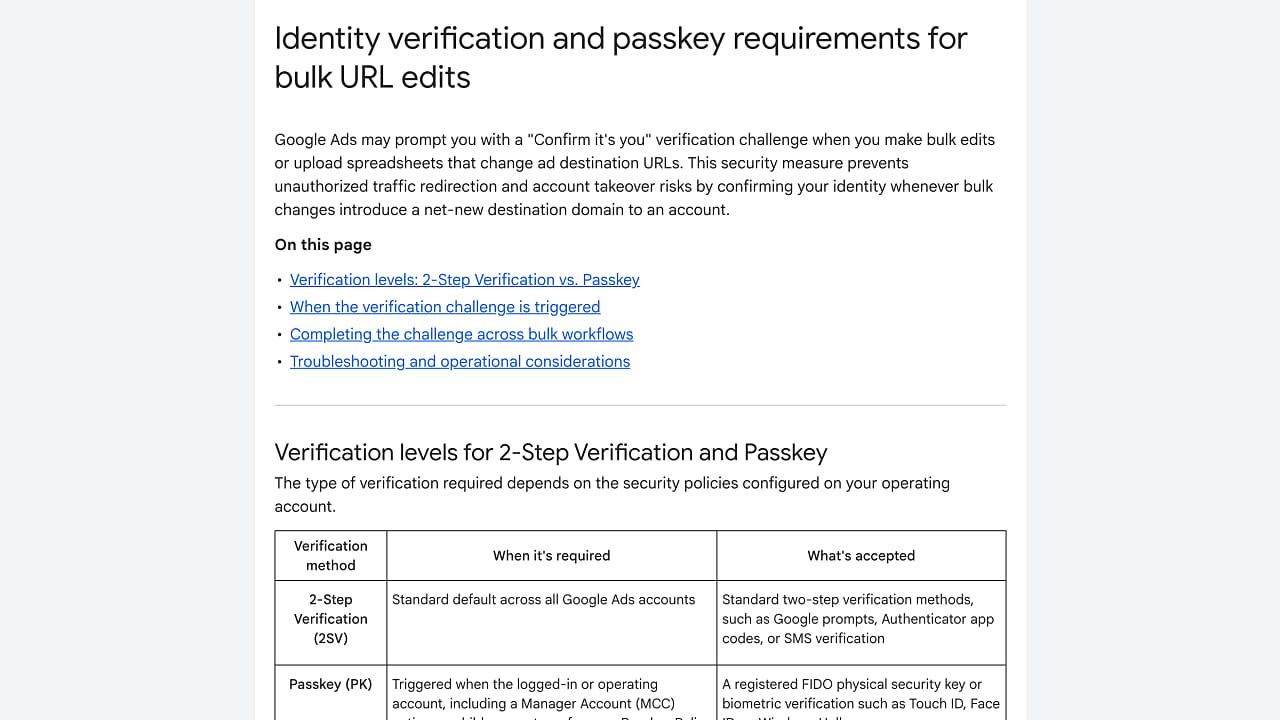
It kicks in when the domain hasn't been used in the account before and there was no recent active session. You verify with 2-Step Verification by default, or with a Passkey, depending on your security settings.
Watch out: scheduled uploads can fail. Rows with a new domain won't go through until someone verifies manually, and Google support can't bypass the check.
For agencies: verify the new domain before a migration upload runs on a schedule.
Thanks for sharing Thomas Eccel, via PPC News Feed.
What changed
Google Ads now asks for identity verification before a bulk URL edit that uses a domain the account has not used before, when there was no recent active session. Verification uses 2-Step Verification by default, or a Passkey, depending on the account's security settings. Scheduled uploads can fail if they contain rows with a new domain, and Google support cannot bypass the check.
What this means for ecommerce accounts
If you edit final URLs in bulk, a new domain can stop your upload until someone verifies it. This matters most for scheduled uploads, because nobody may be watching when they fail. Rows that use domains your account already uses should not be affected by this check, based on the conditions described. For Shopping and Performance Max, this matters when your feed or bulk edits change landing page domains. Shopping ads usually also apply to Performance Max, so the same rules apply to both. For Search, it applies to bulk URL edits in the same way.
The check only triggers on domains the account has not used before and when there was no recent active session. If you only edit URLs on domains you already run, you will likely not see it. If you are moving a site to a new domain, plan for the extra step.
What to do now
- Check which domains your account already uses before planning any bulk URL change.
- Make sure the person who handles uploads has access to 2-Step Verification or a Passkey.
- Verify any new domain manually before a scheduled migration upload runs.
- Check the status of scheduled uploads after they run, so failed rows do not go unnoticed.
- If you manage several client accounts, add the verification step to your migration checklist.
FAQ
When does Google Ads ask for identity verification for bulk URL edits?
It applies when the domain has not been used in the account before and there was no recent active session. In those cases, Google Ads asks you to verify before the edit goes through.
How do I verify my identity for a bulk URL edit in Google Ads?
By default you verify with 2-Step Verification. If your security settings use a Passkey, you verify with a Passkey instead.
Why did my scheduled bulk upload fail in Google Ads?
Rows with a new domain will not go through until someone verifies manually. Google support cannot bypass this check, so the upload stays blocked until verification is done.
- Re-verify identity or business operation 24 Jan 2024
- Verify Account 26 Feb 2025
- You can now claim your business in ChatGPT and see the clicks it sends. 10 Nov 2026
Want this checked in your own account? I manage Google Ads for ecommerce brands that spend €10K or more a month. In a free 30-minute quick scan we look at your account together.
Book a free quick scanNew to a term? See the Google Ads glossary.