Shared Budgets in Google Ads simple concept, big impact.
Many advertisers still set individual budgets per campaign.
Example:
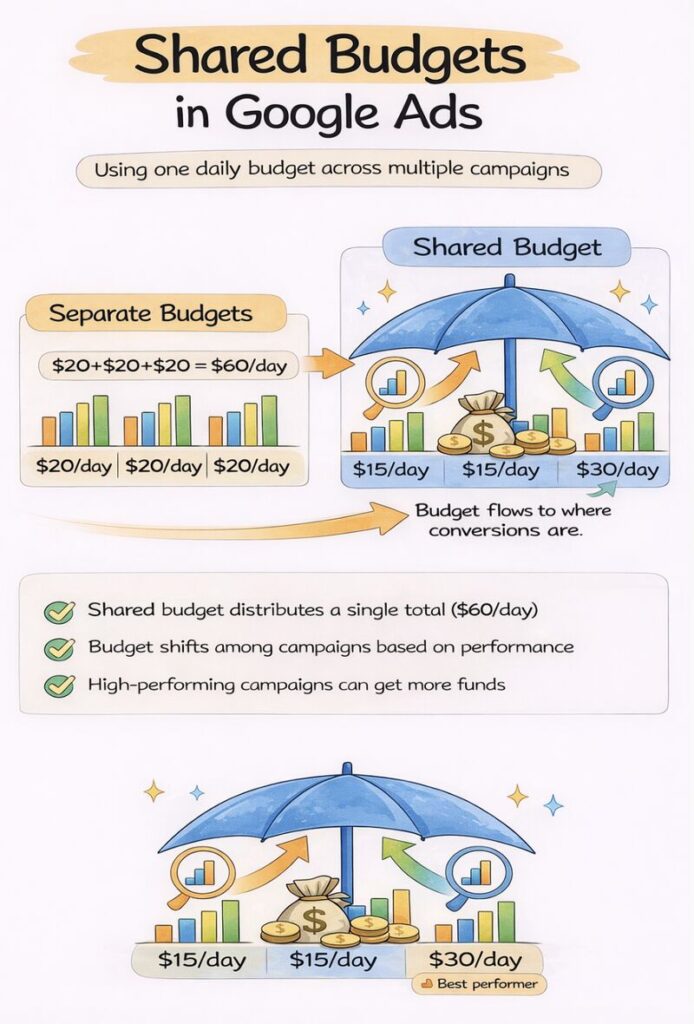
Campaign A → $20/day
Campaign B → $20/day
Campaign C → $20/day
Sounds structured… but it can lead to wasted opportunity.
With shared budgets, you combine spend across campaigns:
→ One total budget (e.g. $60/day)
→ Google automatically allocates spend to campaigns with the best performance potential
Why this matters:
• Prevents unused budget in low-traffic campaigns
• Increases chances of capturing more conversions
• Simplifies budget management at scale
• Helps automation react faster to demand fluctuations
But it’s not always the right move:
• One campaign can consume most of the budget
• Harder to control exact spend distribution
• Risky when campaigns have very different priorities
Best use cases:
• Same funnel stage (e.g. multiple non-brand search campaigns)
• Limited total budget
• When using smart bidding strategies
Shared budgets don’t create more demand they help you capture it more efficiently.
Are you using shared budgets in your account or still managing campaign budgets manually?