ChatGPT has memory but most people aren’t using it right.
If you want smarter, faster, more relevant answers, don’t just type “Remember me or my tone”
Instead, try this:
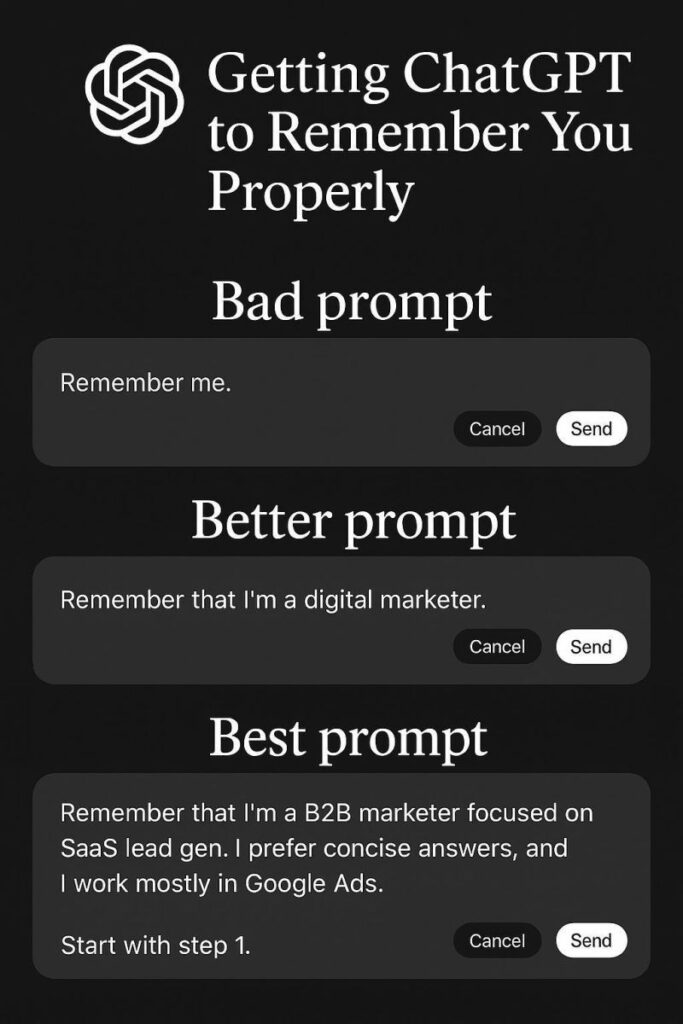
❌ Bad prompt:
“Remember me.”
✅ Better prompt:
“Remember that I’m a digital marketer.”
🏆 Best prompt:
“Remember that I’m a B2B marketer focused on SaaS lead gen. I prefer concise answers, and I work mostly in Google Ads.”
Now, ChatGPT understands your world and provides answers in context.
Pro tip:
Check your memory settings here:
Settings → Personalization → Memory
You can review, update, or delete anything it remembers.