Google Ads News
Brand Guidelines

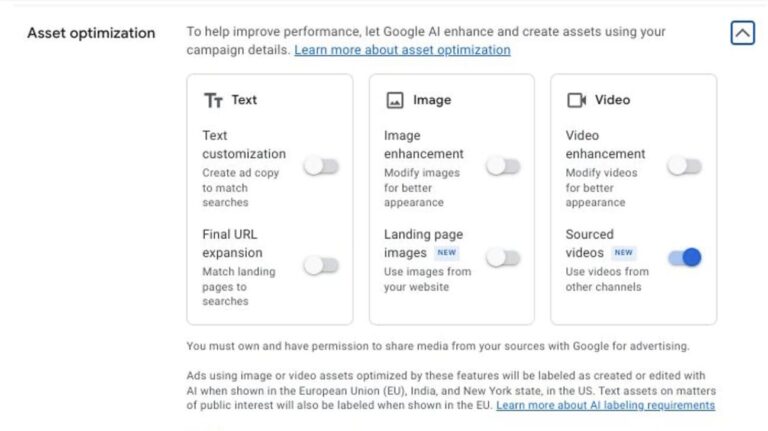
Google has expanded its Brand Guidelines and Asset Optimisation tools to include text guidelines, giving advertisers more control over automatically generated ad copy.
Previously limited to visual elements like logos and imagery, these sections now allow restrictions on certain words, phrases, or sentence starters (e.g., excluding “cheap” for premium brands, or banning openers like “and” or “with”).
When using Final URL expansion, opting into text customisation is required, making the feature more appealing as advertisers can now better control the messaging.
Up to 40 text restrictions can be set, available in both Brand Guidelines and Asset Optimisation sections.
Found by Birgul Woodford.
New the Conversions with Cart Data Diagnostics Tool in Google Ads!

This tool allows you to track detailed product data for each purchase conversion, providing insights that drive sales reporting and features like automated discounts.
Key Benefits:
Identify and fix issues in your cart data setup for accurate conversion tracking.Optimize campaigns with complete and correct cart data, leading to better performance.
Ensure data quality for improved decision-making and deeper insights.
How it works:
Continuous data sending: Ensure cart data is being sent with every purchase conversion.
Complete data: Verifies that product item ID, price, and quantity are included. Data matching: Confirms the data matches what’s in your Merchant Center.
To access the tool, go to your Google Ads account, click the Goals icon, and then Diagnostics.
The tool will help you monitor your cart data setup status, with levels ranging from Excellent to Urgent.
By using this tool, you can fix errors and optimize your campaigns to maximize performance.Found by Hana Kobzová
Horizontal line

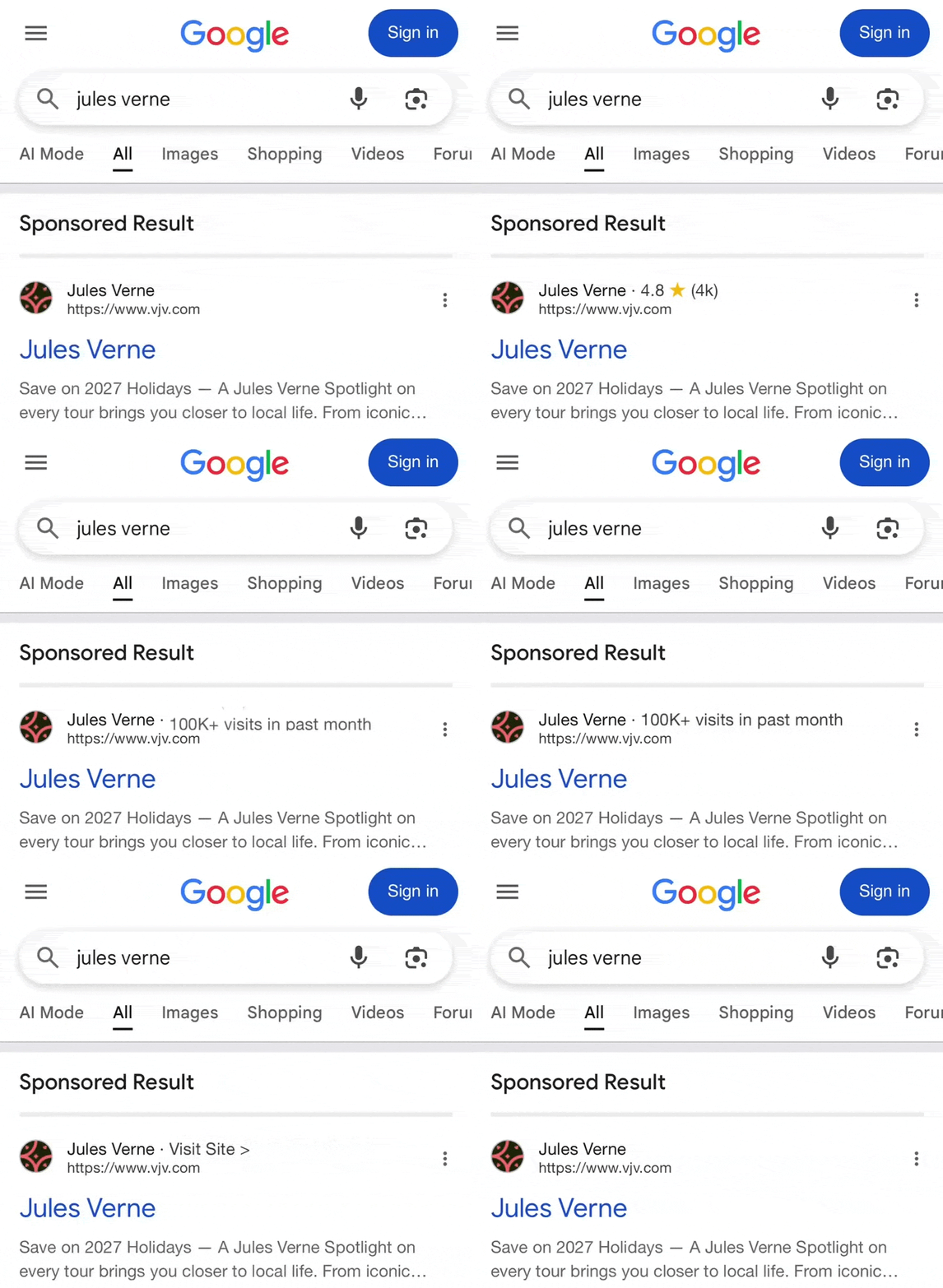
Barry Schwartz & SERP Alert ⚡ & Sachin Patel discovered that Google is testing again with the horizontal line in Ads!
The automatic improvements page has received an update

Igor Pecherskih & Hana Kobzová discovered that the automatic improvements page has received an update.
Now it is called “Automation”. The interface has been changed and now the number of items that have been updated is displayed.
For those who don’t know, this page can be set up to automatically update product data, such as image improvements, pricing, availability, and status updates.
Google has quietly changed how server-side Google Tag Manager (SGTM) loads Google JavaScript libraries like gtag.js

Previously, the GA4 Client in SGTM could directly load gtag.js. That’s no longer possible. Now, all Google JavaScript libraries are loaded via the Web Container Client.
If you want to load gtag.js via SGTM, you must now use a Web Container Client and allowlist the Google Tag Measurement IDs you want to serve.If you load GTM through SGTM using the Web Container Client, you can enable “Automatically serve all dependent Google scripts”, so any Google Tags in that GTM web container will be served automatically—no manual Measurement ID list needed.
You don’t have to serve a full GTM container through SGTM you can still use the Web Container Client solely to load gtag.js by specifying allowed Measurement IDs.
For more information check Simo Ahava his post.
Perplexity Launches $34.5 Billion Bid to Take Chrome from GoogleIn a move that has stunned Silicon Valley

3-year-old AI startup Perplexity has made an unsolicited $34.5 billion all-cash offer to buy Google’s Chrome browser.
Chrome isn’t just a browser, it’s the gateway to billions of users and a massive data engine for Google’s ad business.
The bid comes as regulators push to break up Google after a U.S. court ruled it holds an unlawful monopoly in search.
Perplexity says it would keep Chrome open-source, invest $3 billion in development, and preserve the default search engine.The twist? Analysts value Chrome at $50 billion+, and few believe Google will sell without a long legal fight.
Pmax update


Thomas Eccel discovered that Google Ads has improved the Performance Max Channel Reporting beta by adding a cost slider that reveals each channel’s share of total campaign spend.
When you activate the slider, Google calculates and displays the percentage of cost attributed to each channel, making it easier to see where your PMax budget is going.
Pmax update

Aleksejus Podpruginas discovered that the demographic exclusion is live!
40% is gone

Google’s AI Just Killed 40% more Fake Clicks How Much of Your Ad Spend Was wasted?
Google’s latest AI-powered protections have quietly revealed the uncomfortable truth about online advertising: fake clicks and bogus impressions have likely been draining budgets on a massive scale for years.Using large language models from its Ad Traffic Quality team, Google Research, and DeepMind, Google is now blocking bots, click farms, and non-human activity in real time.
The results? A staggering 40% drop in deceptive or disruptive ad traffic, suggesting billions may have been lost before these tools existed.For advertisers, it means cleaner data, sharper targeting, and budgets spent on real users.
But it also raises a tough question: if nearly half of that “traffic” was fake, how much of your past ad performance was nothing more than smoke and mirrors?
Google Refreshes 14 Google Ads Policy Guides

Google has updated 14 Google Ads Help Center policy articles, covering topics like:
– Abusing the ad network
– Alcohol
– Ad protections for children and teens
– Counterfeit goods
– Dangerous products or services
– Destination requirements-
Healthcare and medicines
– Inappropriate content
– Legal requirements
– Misrepresentation
– Other restricted businesses
– Trademarks
– Technical requirements
– Third-party policy
YouTube update

YouTube just rolled out new tools to help creators drive engagement, conversions, and global reach.
– Community Posts can now include up to 10 images, doubling the previous limit.
– New call-to-action buttons in the “Promote” feature let you drive actions like: Book Now, Get Quote, or Contact Us directly from videos and Shorts.
– Auto-dubbing is now available to all verified creators, with improved workflows to keep dubbed audio in sync after edits.
Later this year, creators will also be able to edit uploaded multilingual captions. These updates mean richer storytelling, better audience targeting, and more accessible content for global viewers.
Policy update

Starting August 2025, Google Ads will limit its Dating and Companionship ad restrictions to a shorter list of countries: Algeria, Bahrain, Sri Lanka, Palestine, Iraq, Jordan, Kuwait, Lebanon, Libya, Morocco, Oman, Nepal, Pakistan, Qatar, Saudi Arabia, Tunisia, Egypt, and Yemen. Ads can run in all other countries outside this list.
New pop-up enhanced conversion

Arpan Banerjee discovered this new pop-up for enhanced conversions in his account!
Policy update

In August 2025, the Google Ads Legal Requirements policy and the Understanding Country Restrictions help center page will both be updated to reflect the removal of Syria from the US Office of Foreign Asset Control sanctions list.
Running Google App campaigns on iOS?

Here’s what’s new to help you engage users and boost measurable results:
Optimize for performance
Target ROAS bidding now on iOS.
Also available: Max conversions (in-app actions) and Max conversion value (ROAS without a set target).
Leverage YouTube creators
New co-branded ad format for YouTube in-feed and Shorts—promote creator videos directly in App campaigns.
Boost video impact
Automatic video resizing and flipping for different YouTube placements and screen sizes.
Measure smarterExpanded on-device conversion measurement using de-identified app event data better optimization, privacy-safe, and now enabling ICM for more accurate iOS attribution.
Age

Google has begun rolling out age verification in Google Search, extending beyond just YouTube. Users are occasionally prompted with a notice informing them that Google was unable to confirm they’re an adult and advising them to review their account settings.
This change reflects Google’s broader push to enforce age checks across search ads and content.
The feature was first spotted by Reddit users and noted by tech observers.
New offer

Anthony Higman got this new offer for Ads, I have never seen an offer with 6K!
Goodbye Language Targeting?

Ezra Sackett discovered this note that by the end of 2025 language targeting settings will be removed😅. The language will be automatically detected with the help of Google AI!
Looker Studio

You can now set a data-label background color for any bar-label-position option for column and bar charts + Looker Studio has added a lot of new connectors.